

Student life
Here's what life looks like when you study with us: your first weeks, orientation, Aspire2 Plus, working while you study, getting around Auckland and the support around you.
Your first few weeks
We've planned your first few weeks so you can settle in, make friends and feel at home fast.
Before you fly
Book your flights and send us your arrival details at least two weeks before you travel, so we can arrange your airport pickup and accommodation.
Touch down in Auckland
We'll be there to meet you at the airport and take you straight to your accommodation. No taxis, no stress.
Your first two weeks are on us
Enjoy two weeks of complimentary accommodation. Unpack, find your feet and explore the city while you choose a longer-term place to live.
Orientation: two days to settle in
Meet your classmates and the whole team. Collect your complimentary laptop and SIM card, set up your digital student ID and Wi-Fi login, and find out how study and life in Auckland work.
Your first classes
Attend your scheduled campus classes, meet your facilitators and start building real IT skills.
Orientation
Orientation is your first two days with us. It's hosted by the whole team: our General Manager, your facilitators, Student Support Services, pastoral care, IT Support and guests. Expect short information sessions, icebreakers, team games, shared lunches and time to ask questions.
Day 1: Haere mai, welcome
A Māori welcome (mihi whakatau) and a welcome from our General Manager. Icebreakers and lunch together. Get set up with your laptop, SIM card, digital student ID and Wi-Fi. Learn the basics of life in Auckland, then explore the city centre in a team challenge.
Day 2: Ready to learn
How study works here, including your timetable and attendance. Hands-on help with the Learning Management System (LMS), the Student App and the Student Portal. Studying honestly and when you can use AI. Your wellbeing, your visa conditions and your rights at work, our values, and a fun team quiz.
This is an indicative programme and may change. Your orientation timetable comes with your welcome letter.
Aspire2 Plus
Aspire2 Plus is the plus side of studying with us. All year, alongside your classes, we run sessions and events that help you build your career, make friends and enjoy life in New Zealand.
Industry
- Guest speakers from the IT industry
- Industry updates: what's changing in tech and what employers want
- Talks on IT careers in New Zealand
Career
- CV and cover letter preparation
- Interview skills and practice
- Your LinkedIn profile
- Job search support with Aspire2 Work
Competitions
- Hackathons
- A startup idea competition
- Team challenges where you put your IT skills to work
Social
- Games nights and shared lunches
- Walks and outings around Auckland
- Our complimentary annual student trip
Culture
- Learning about Māori values like manaakitanga and whanaungatanga
- Celebrating the cultures of our students from around the world
We share what's coming up in the Student App, so check your notices. Sessions are run by our team, Aspire2 Work and guests from industry. Got an idea for a session? Tell our Student Support Services team. The more you join in, the more you get out of your time with us.
Your first-week checklist
Open a bank account
Visit the bank of your choice with your passport and your proof of enrolment letter. You can get the letter from Reception, or by emailing student.registry@aspire2.ac.nz.
Know your employment rights
From 1 April 2026, the adult minimum wage (before tax) is $23.95 an hour. Check the current rate at govt.nz. Make sure you have a written employment agreement, and that you understand it before you sign it and start work.
Get an IRD number
An IRD number is your tax number from Inland Revenue, so you pay the correct tax when you work. Apply online at ird.govt.nz with the "New Arrival" form. If your details match your immigration records, you'll usually get your number within 2 working days.
Working while you study
Most international students can work part-time while they study. Your exact work rights are recorded on your eVisa or in your visa letter, so always check your own conditions.
- During your programme: full-time students in a programme at Level 4 or higher, like ours, can usually work up to 25 hours a week. This changed from 20 to 25 hours on 3 November 2025. If your visa still says 20 hours, you can apply to Immigration New Zealand to change it.
- In your scheduled breaks: if your programme meets Immigration New Zealand's rules, your visa may let you work full-time in the scheduled breaks between terms. This does not include the time after your programme ends.
- No self-employment: international students cannot be self-employed. You must work for an employer and have an employment agreement.
Work that breaks your visa conditions can put your visa at risk. Read the full rules at immigration.govt.nz. Aspire2 cannot guarantee visa approval, work rights or employment.
Your study year
| Level 5: Diploma in Information Technology | Level 6: Diploma in Cybersecurity | |
|---|---|---|
| Terms | 4 terms of 9 weeks | 3 terms: 10, 10 and 12 weeks |
| Teaching weeks | 36 | 32 |
| Total, including breaks | 40 weeks | 36 weeks |
Your term and holiday dates are in your offer of place and your timetable. Use them to plan travel and any work in your scheduled breaks.
A typical week (Level 5)
Full-time students study two courses at the same time. Monday to Wednesday: face-to-face classes on campus. Thursday: directed sessions. Friday: online learning. Every week also includes self-directed study and regular Learning Check-Ins with your facilitator. Plan for 30 to 40 hours of study a week, including your classes on campus.
Timetables are indicative and may change. You'll get your own timetable before your first class.
Getting around Auckland
Buses, trains and ferries connect the city. Get an Auckland Transport (AT) HOP card, a reusable prepay card for all three, and tag on and off each trip. The Victoria Street entrance to Te Waihorotiu train station is right outside our campus.
As a full-time student, you can get Auckland Transport's tertiary student concession: 40% off most buses, trains and ferries. Ask Student Support Services for a physical student ID card with a tertiary ID sticker to apply.
Living in Auckland
Staying safe and well
Emergency? Call 111 (police, fire brigade or ambulance). Then call our school emergency phone: +64 21 0259 5499. For police non-emergencies, like a stolen bag or a lost phone, call 105.
Pastoral care
Our team has an open-door policy, so you can meet one of us in confidence, whether you're homesick, stressed or just need a chat. Email pastoralAKL@aspire2.ac.nz, call 09 555 5400 (Monday to Friday, 8.30am to 5pm), or ask at Reception.
Health advice, any time
Call Healthline free on 0800 611 116 for health advice from registered nurses, 24 hours a day. Need to talk to someone? Free call or text 1737, any time.
Health insurance
Most international students can't get free public health services in New Zealand, so you must have medical and travel insurance while you study. We can arrange OrbitProtect insurance. To make a claim, call OrbitProtect on 0800 478 833.
Study well, study honestly
- We expect 100% attendance. If you can't attend, email Student Support Services on the day. If your attendance drops, we'll talk with you early to help you get back on track, and low attendance leads to warnings.
- Be honest in all your work. Cheating, using other people's work without saying where it came from, or handing in work done by someone else or by an AI tool as your own is academic misconduct. In an assessment, you can use AI only when its instructions say so. See how we teach you to use AI well.
- Respect your classmates, our staff and the property of others. We don't tolerate bullying, racism, harassment or discrimination.
- Our campus is smokefree, including entrances and surrounding pathways.
- Your student ID is digital, in the Student App. Add it to Apple Wallet or Google Wallet, and always have it with you on campus.
The handbook has the full rules: attendance and leave, the Student Code of Conduct, warnings and appeals, and how to raise a concern. Fees, refunds and complaints are also on our student protections page.
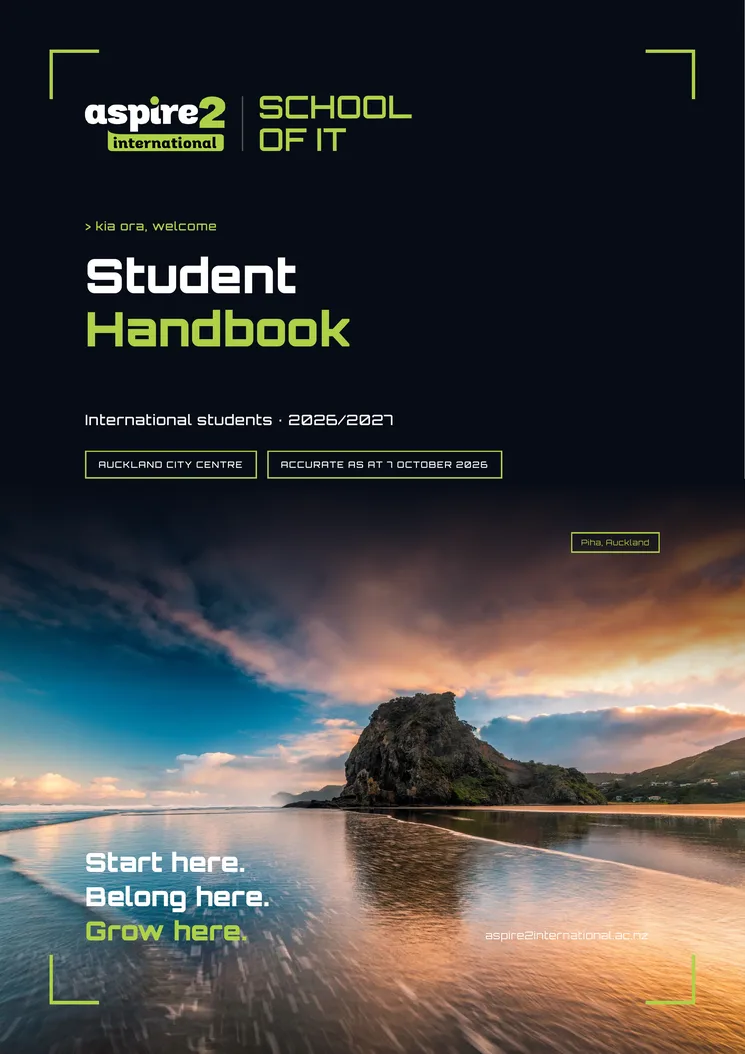
Student Handbook 2026/2027
Your handbook, all in one place
Everything on this page and more, in one handy guide you can save to your phone: who to contact, your first weeks, Aspire2 Plus, staying safe and our key policies.
Get the handbook
We can't wait to welcome you
Sign up today and one of our team will be in touch within 24 hours. We'll help you choose your course and plan for the 2027 intake.